Drop by
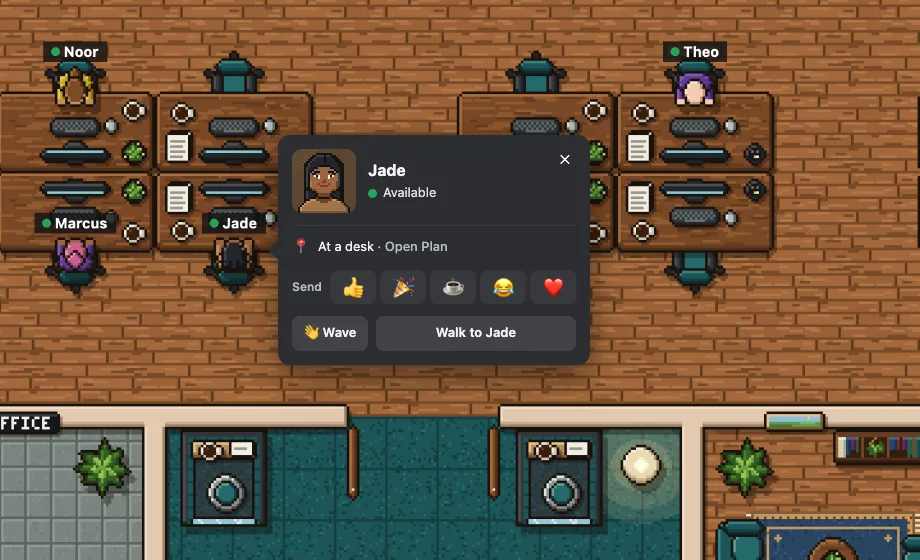
See who’s around, and walk over to talk.
Click anyone to see their card: where they are, whether they’re free, and what time it is for them. Wave, send a reaction, or walk over. If they’re busy, ask to be told when they’re free, even by DM once you’ve left.
Rooms are calls
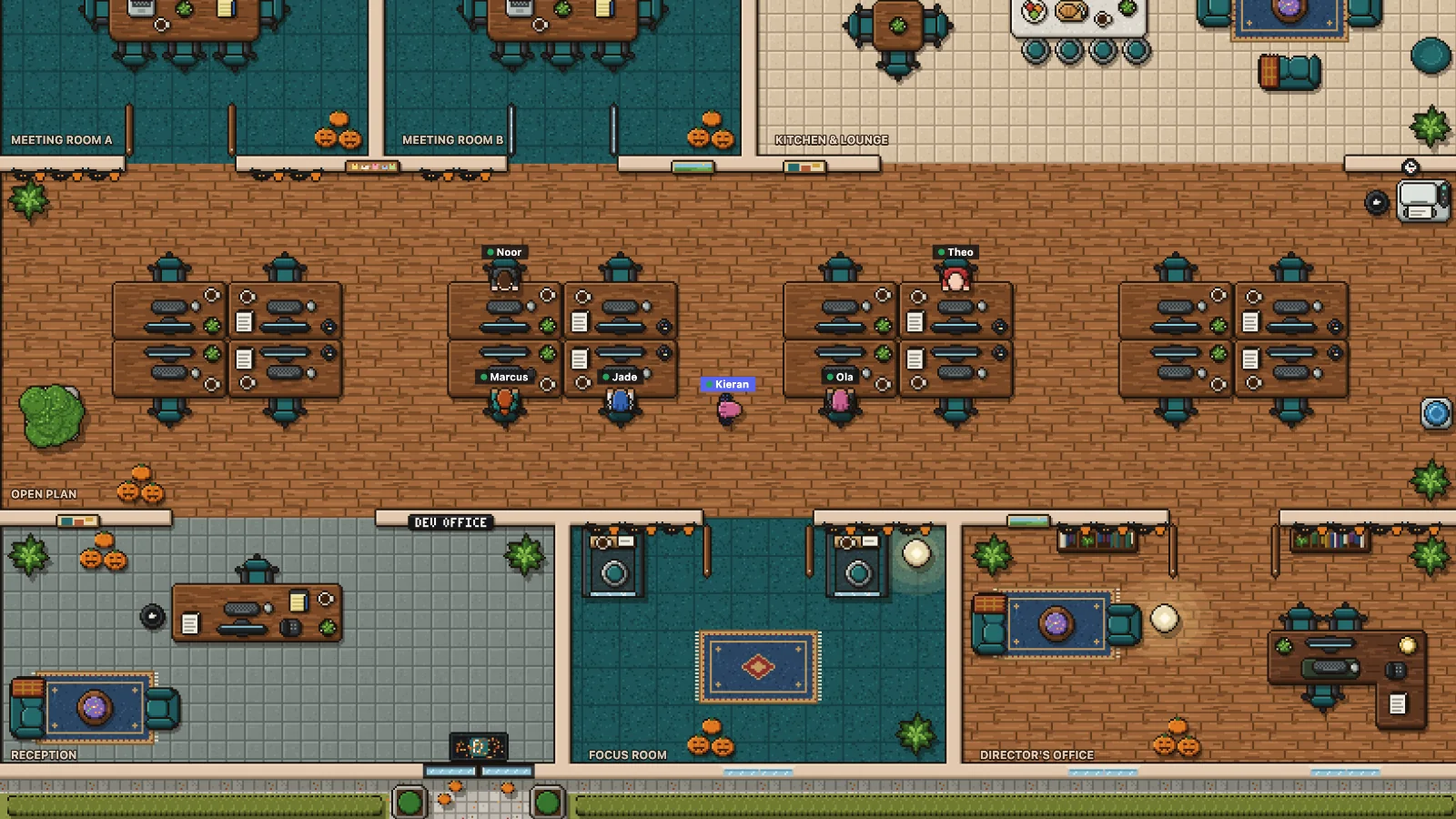
Walk into a meeting room, and you’re in the meeting.
Each room is a voice channel, and you can see who’s sharing their screen before you walk in. Walk out, and you’re back in the lobby. Sit with someone at a desk pod for a quick huddle, or close a room’s door for a private chat: everyone else has to knock. Make the open plan a quiet room, and people stay in voice as they wander, without being in a call.
Be yourself
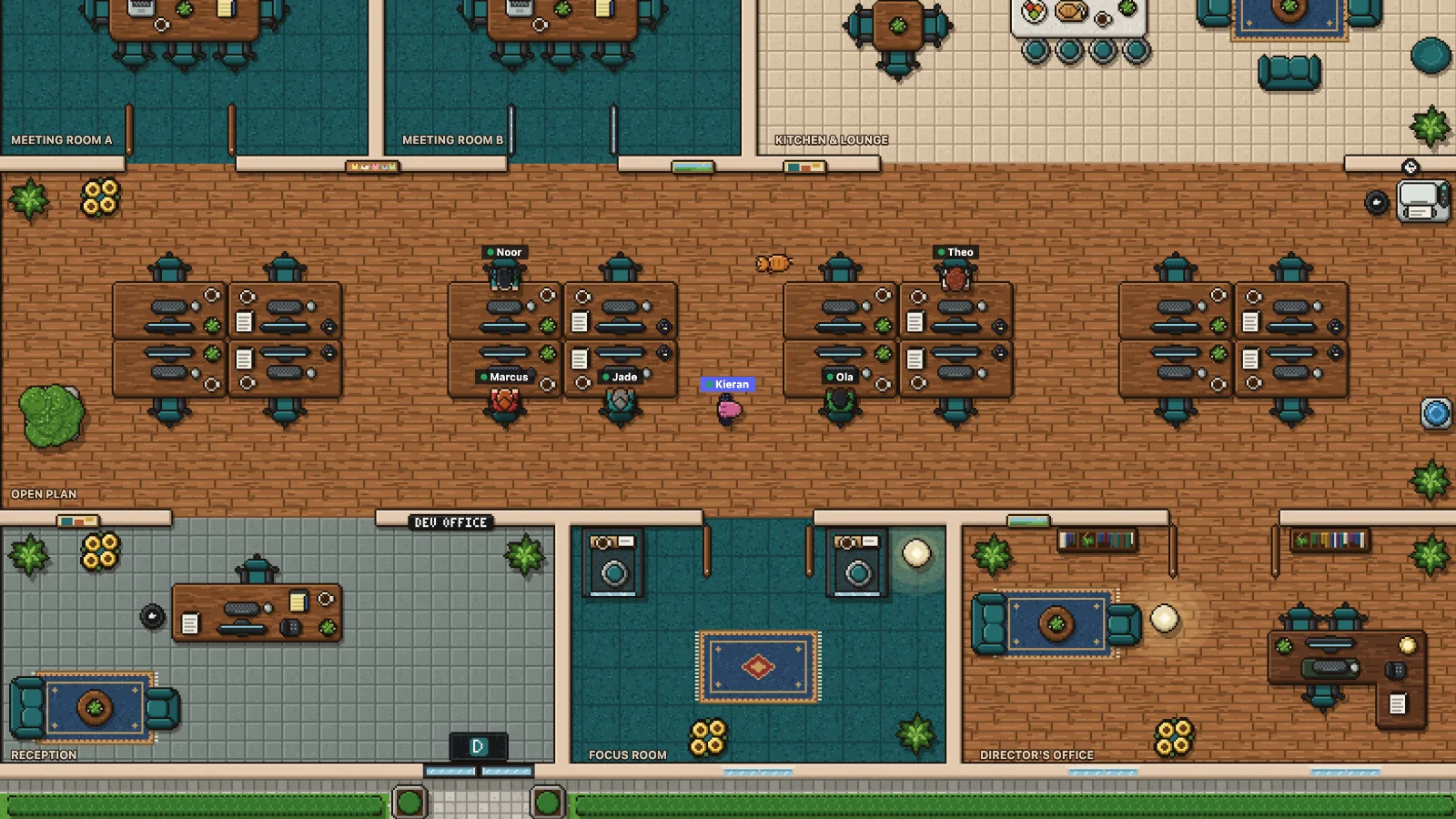
A face that’s yours, drawn from your look.
Pick your hair, face and clothes, then the extras: glasses, a hat, earrings, headphones in any colour. You walk about the office as yourself, and your face is on your card and in the people list.

An office that keeps time
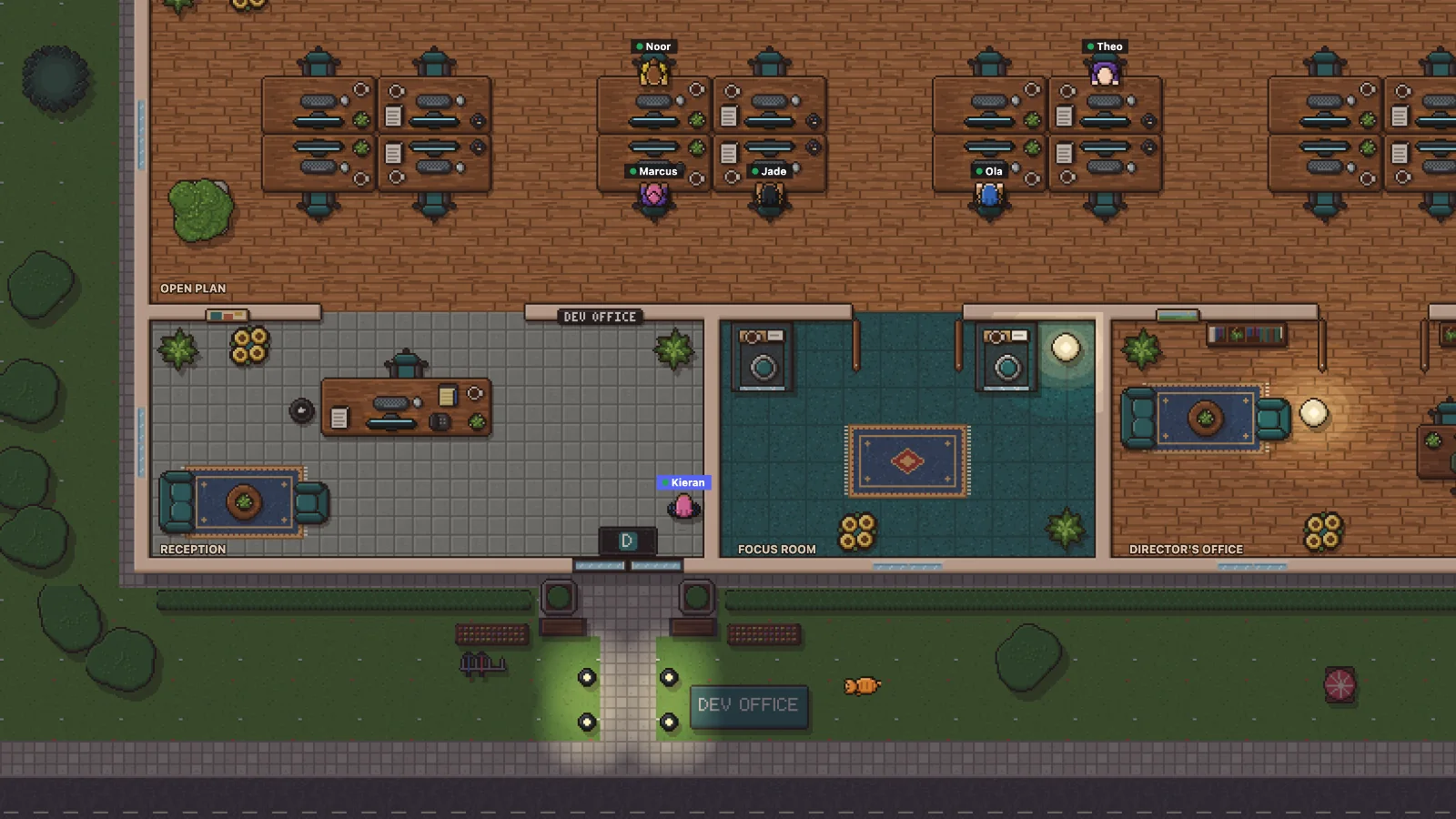
Day turns to night where your team is.
The lamps come on in the garden after dark. The office dresses up for the seasons and celebrations, and the weather rolls in over the grounds.
Make it your team’s
Your rooms, your desks, your logo on the wall.
Admins rearrange the office in the layout designer: rooms, floors, desks and furniture, or start from a ready-made office. Put up your team’s name and logo. Your Discord admins choose who else runs the office, by role or by name. Everyone can claim a desk and make it theirs.
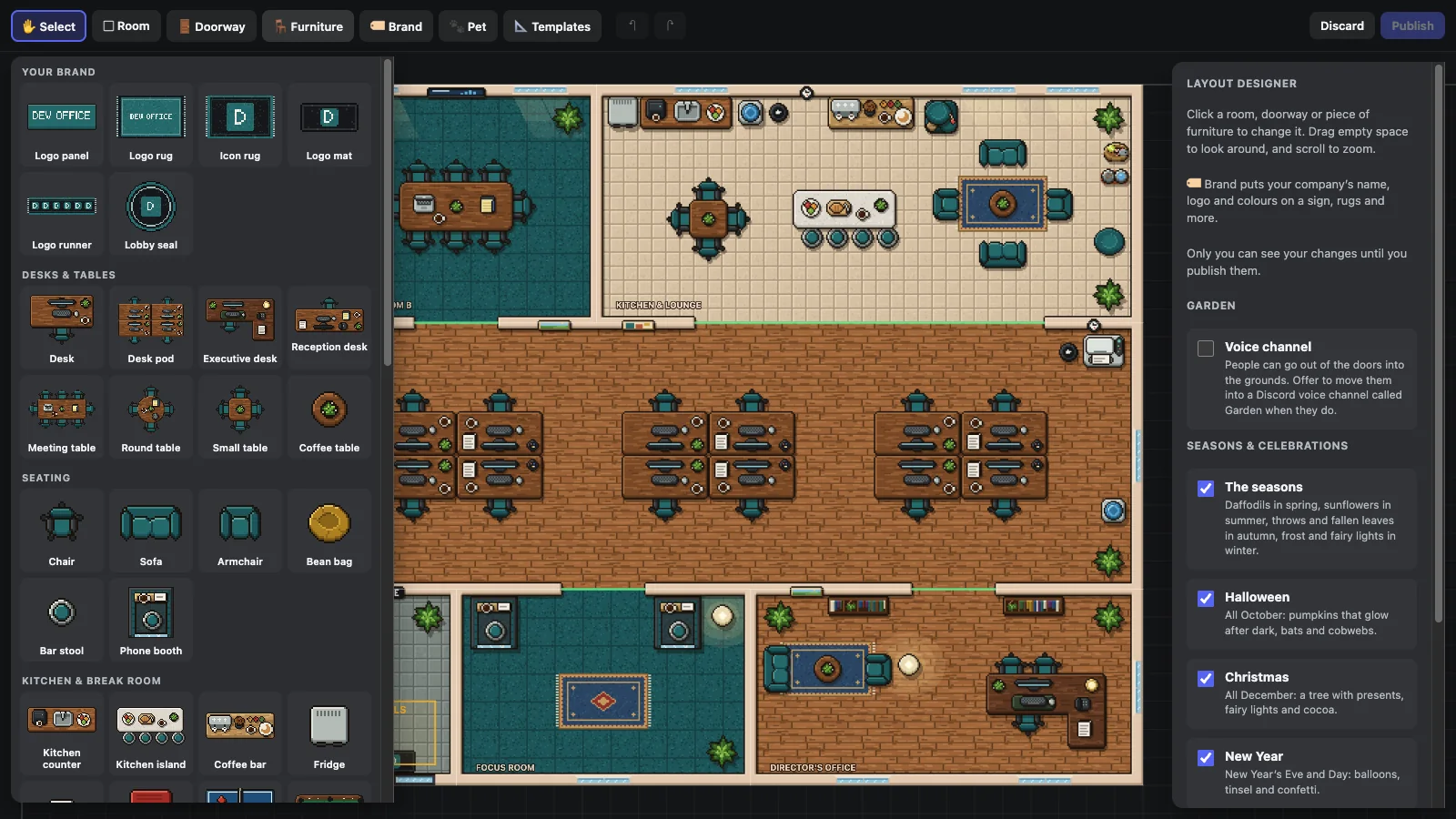
And the little things an office has
-
Free, busy or away
Pick your status, or let it follow your Discord one. Busy means no huddle invites.
-
Status messages
“Lunch, back at 2”, on your card for everyone, and it clears itself when you say.
-
Tell me when
Ask to be told when someone’s free, back from lunch, or in. Left the office? You get a DM.
-
An office pet
A cat or a dog wanders about. Stop to pet it, give it a treat, or play.
-
Keep an eye on it
Shrink it into Discord’s small window to keep your room in view while you work.
-
Your own desk
Claim one and decorate it: a plant, a lamp, photos, your mug, a rubber duck, even a cat.
-
A notice board
Pin up “Office closed Friday”. Everyone sees it once as they come in, and on #front-door.
-
Working hours
Say when you’re usually in. Out of hours, your desk goes dark and says when you’re back.
-
Who’s on screen
See who’s sharing their screen, on camera, or on mute, right beside their name.
How it works
Open the office in three steps.
-
Add Doorway to your server
Invite it with one link. Everyone in your server can come in, and the first admin through the door sets the office up.
-
Give the rooms their voice channels
Doorway makes a voice channel for each room, or pairs rooms with the channels you already have, by name. It makes a #front-door channel too, with one tidy message that says who’s in.
-
Open it from #front-door
Join any voice channel, then press Open Doorway in #front-door, or pick Doorway from Activities. You walk in through the front door.
Is Doorway finished?
Not yet. Doorway is in open alpha: anyone can add it, but we’re still building it. Things will change and some will break, and your office’s layout, desks and settings may be lost while we work on it, so please don’t rely on it for anything you can’t set up again.
How much does it cost?
Nothing: Doorway is free while it’s in open alpha.
Who can come in?
Anyone in your server. If you’d like it kept to people with a certain role, ask us and we’ll set that up for your server.
Does Doorway listen to our calls?
No. Calls stay in Discord, and Doorway never hears or sees them. Discord tells it who’s in which voice channel, and whether they’re muted, on camera or sharing their screen, which the office shows beside their names. It moves you between its voice channels when you walk into a room, and asks first unless you tell it not to.
What does Doorway keep about us?
Only what the office needs: your look and settings, your desk, and things like notices and who runs the office. Never your calls or messages, and nothing’s sold or used for ads. The privacy page has the details.
Which devices does it work on?
Discord on desktop, in the browser and on phones.
Can we change the office?
Yes. Admins can rearrange the whole office in the layout designer and put up your team’s name, colours and logo.
Who makes Doorway?
Spira Studio, a technical development partner. We build web apps, tools and the systems behind them for startups, agencies and growing teams too. Need something built?

The door’s always open.
Add Doorway to your server, and your team has somewhere to be together.
Add Doorway to your serverMade by Spira Studio
Need something built?
Doorway is made by Spira Studio, a technical development partner for startups, agencies and teams that have outgrown their tools. Web and app development, APIs and backends, and the infrastructure to run them: built properly, and looked after once they’re live.